No silent changes
Nothing in your project changes until you apply a proposal.
AI Engineer · Built into the DAW
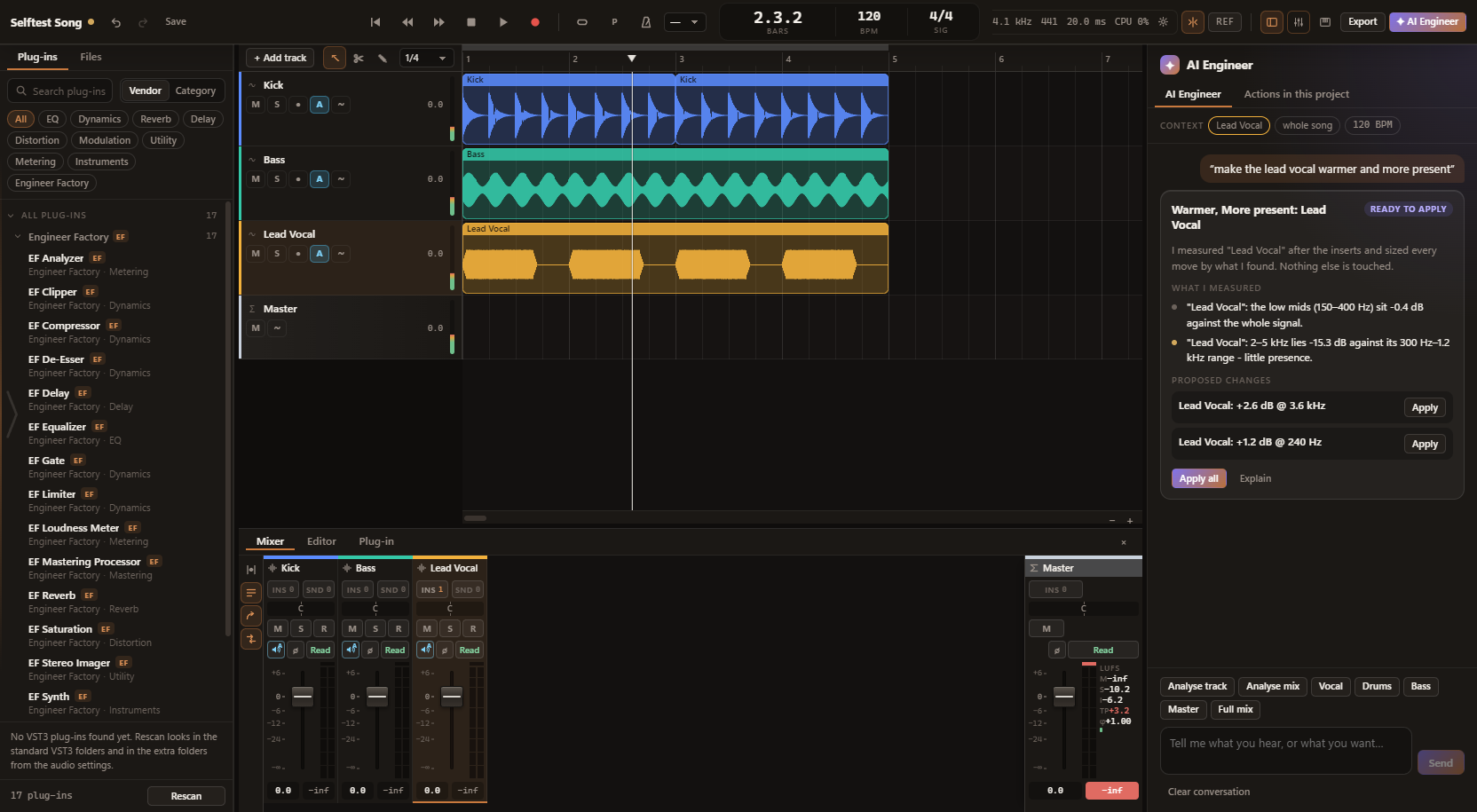
The AI Engineer renders your tracks after their plug-ins, measures them and proposes the smallest change that fixes the problem. You do the applying - and every action can be undone on its own.
Version 1.4.0 · 79 MB · Windows 10 & 11, 64-bit
Free, no account needed. Engineer Factory AI is part of the same download.
Part of Engineer Factory Pro · free for 7 days, no payment details
The process
In your own words, in English or German. Or you start one of the assistants for track, mix, vocal, drums, bass and master.
The tracks are rendered after their plug-ins and measured: spectrum, loudness, dynamics, stereo image, resonances and the masking between tracks.
Every proposal comes with the measurements behind it. You can have it explained before you apply anything.
All proposals at once, or each one individually. Until then nothing in your project changes.
Every applied proposal becomes a numbered AI action with before and after values - and with its own undo.
Examples
The AI Engineer understands requests in English and German.
Plug-in control
So that a proposal reaches the right control, the AI Engineer tells three cases apart:
Built-in plug-ins are set exactly.
Third-party VST3s with a verified profile are controlled through their own parameters. Some plug-ins have verified profiles.
All other VST3s go through a generic fallback. When the AI Engineer cannot control a plug-in, it says so.
Ctrl+K opens the command bar. There are keyboard shortcuts for the whole application as well.
Limits
Nothing in your project changes until you apply a proposal.
The AI Engineer does not run arbitrary code.
The analysis runs on your computer. Audio is not uploaded.
The DAW is fully usable without the AI Engineer.
In the same application
Working in another DAW? Engineer Factory AI measures your exported tracks and writes you a mix and mastering plan: which track, which plug-in, which setting - and why. It is a section of the same application, part of the same download, and available in 10 languages.
Engineer Factory Pro
The AI Engineer and Engineer Factory AI belong to Engineer Factory Pro. You can try it free for 7 days, without payment details. The DAW itself stays free.